Controls Reference
A quick reference for every interactive control on a channel strip and the main bus, including value ranges and the mouse/keyboard interactions each one supports. For the global keyboard shortcuts, see Keyboard Shortcuts.

Fader (channel level)
Sets the channel's output gain.
| Property | Value |
|---|---|
| Range | −∞ to +10 dB |
| Unity | 0 dB |
- Drag up/down to set the level.
- Ctrl-click to reset to unity (0 dB).
- Shift-drag for fine adjustment.
- Scroll over the fader to nudge.
- Double-click the value to type an exact dB value.
- Keyboard (selected channels):
0unity,-/+nudge ∓1 dB.
Pan knob
Positions the channel in the stereo field.
| Property | Value |
|---|---|
| Range | L (−1.0) … C (0.0) … R (+1.0) |
- Drag to pan left/right.
- Ctrl-click to return to centre.
- Shift-drag for fine adjustment.
- Scroll to fine-tune.
- Double-click the value to type (e.g.
L50,C,R30). - Keyboard (selected channels):
Lhard left,Ccentre,Rhard right.
Mute / Solo
Latching buttons on each channel.
- Mute (M): silences the channel. Ctrl-click clears all mutes in the mixer.
- Solo (S): monitors this channel alone. Ctrl-click clears all solos.
- Keyboard (selected channels):
Mtoggles mute,Stoggles solo. - Aux channels are mute-only (no solo button).

Main-bus mute
The main bus has a single mute button that silences the mixer's main output. It behaves like a channel mute.
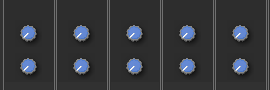
Aux send knob
On aux send slots: sets the send level to an aux channel.
| Property | Value |
|---|---|
| Range | −∞ to +10 dB |
- Drag to set the send level.
- Shift-click toggles the tap point pre/post-fader.
- Alt-click enables/disables the send.
- Ctrl-click resets to default.
- Scroll to fine-tune.
The knob is colour-coded: blue = pre-fader, yellow = post-fader, grey = disabled.
Input selector
Chooses what feeds the channel. Click to open the source menu:
- Hardware input: a physical input on your audio interface.
- DAW return: audio coming from your DAW.
- Mixer bus: the output of another mixer.
See Routing for how these fit together.
Channel width
A small indicator to the right of the input selector shows the channel's width: one bar for mono, two bars for stereo. To change it, right-click the channel and choose Channel Type > Mono or Stereo.
Meter
Shows the channel/bus output level in dBFS.
- Bars show peak and RMS.
- The line marks the recent peak hold.
- The colour gradient moves green, yellow, orange, then red as level approaches 0 dBFS.
- Hover the meter to read the current peak level as a number (L and R for stereo).