Interface Overview
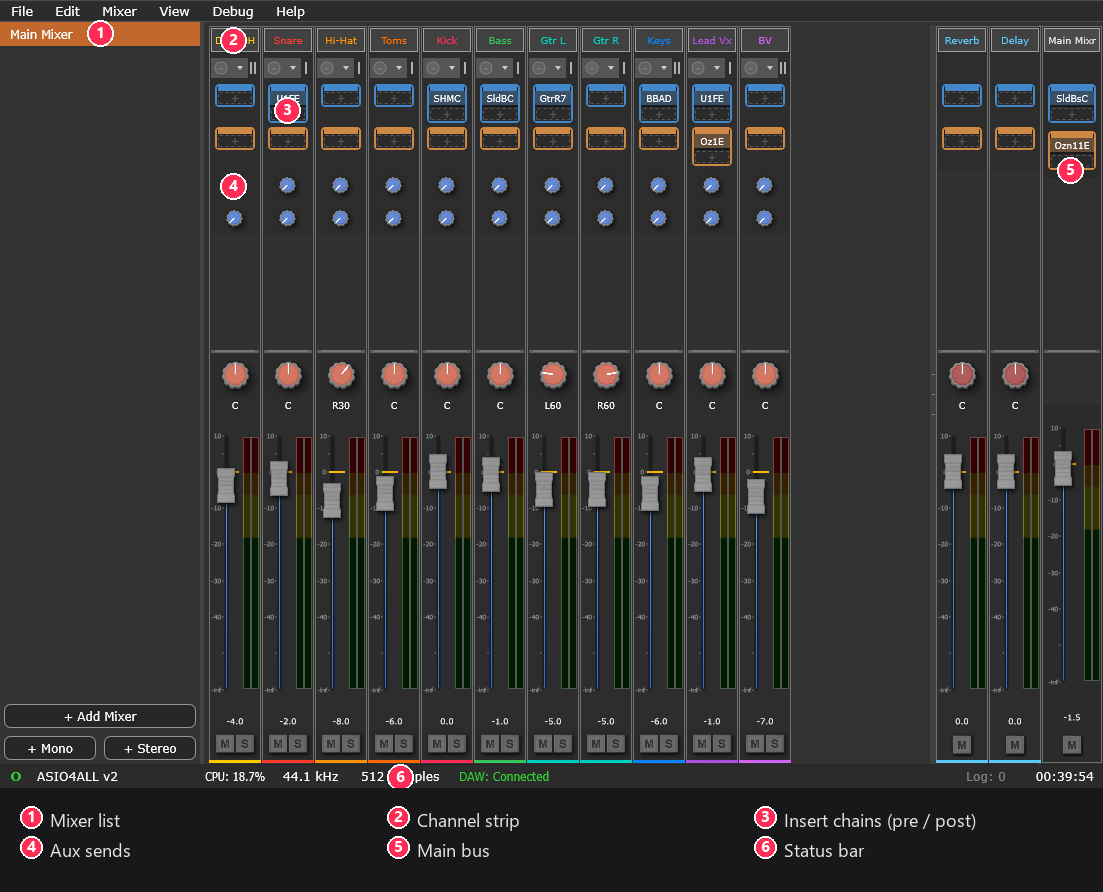
Layout at a glance
- Menu bar (top): File, Edit, Mixer, View, Help.
- Sidebar (left): the mixer list; click a mixer to make it active, or use the context menu to rename/duplicate/delete.
- Main view (centre): shows one of four views (below).
- Status bar (bottom): live device and session status.
Views
Switch views from the View menu or with Ctrl+1…4:
| View | Shows |
|---|---|
Mixer (Ctrl+1) | Channel strips + the main bus for the active mixer |
Routing Matrix (Ctrl+2) | A grid for connecting sources to channel inputs |
Hardware I/O (Ctrl+3) | The hardware interface's inputs and outputs |
DAW Channels (Ctrl+4) | The DAW-facing channels carried over the driver |
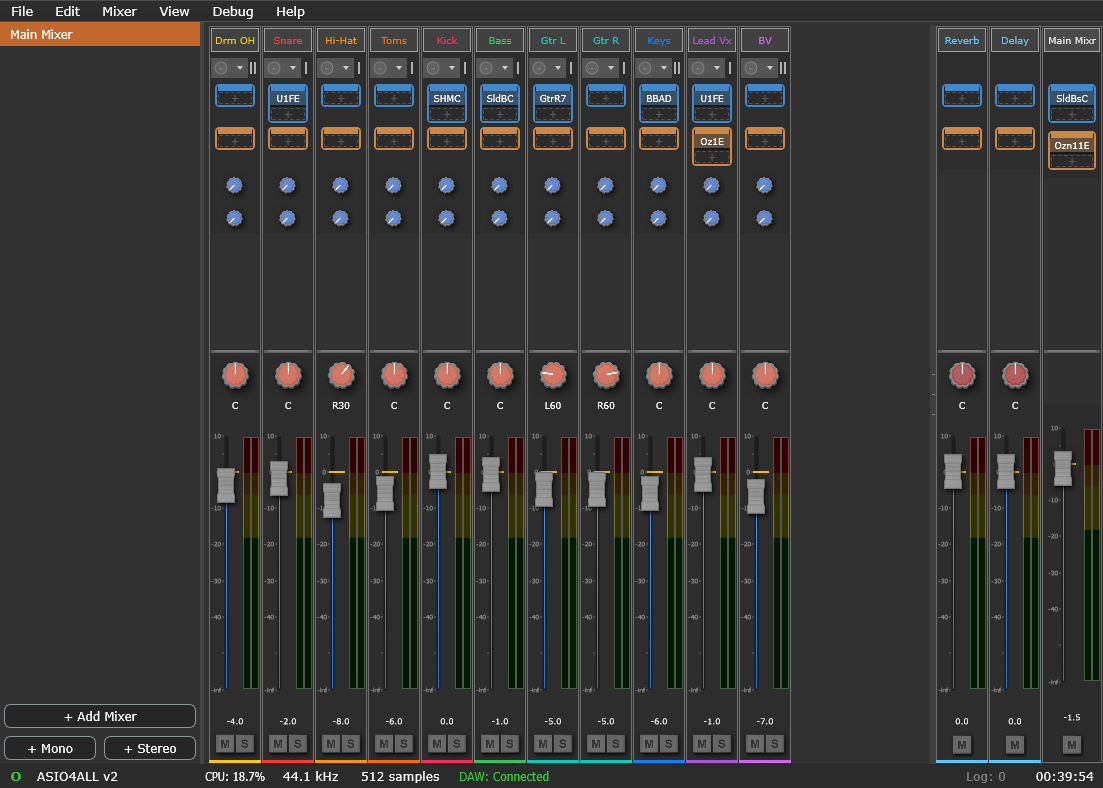
The status bar
From left to right the status bar shows:
- Status light: grey (idle), cyan (opening), green (running), yellow (closing), red (error).
- Device name, CPU %, sample rate, buffer size.
- DAW status: Off, Waiting (driver ready, no DAW), or Connected.
- X-runs: appears when dropouts occur; click to reset.
- Log: N: the notification count; click to open the notification log (see Feedback & notifications).
- Session time.

Feedback & notifications
Veska Console never interrupts your work with pop-up error dialogs. Instead:
- Warnings and errors appear as non-modal toasts in the bottom-right corner, with a Copy button for details. They dismiss on their own (errors stay until you close them).
- Every message is recorded in the Notification Log for the session: open it from View > Notification Log… or the status-bar Log: N indicator. There you can review past messages and remove or clear them. (History is not kept between restarts.)
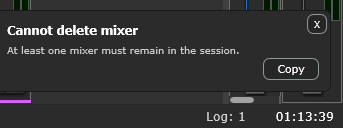
A few actions still use a normal dialog where a decision is genuinely required - saving unsaved changes when closing, quitting while a DAW is connected, and the operating system's file open/save windows.